Android Microphone Permission
1
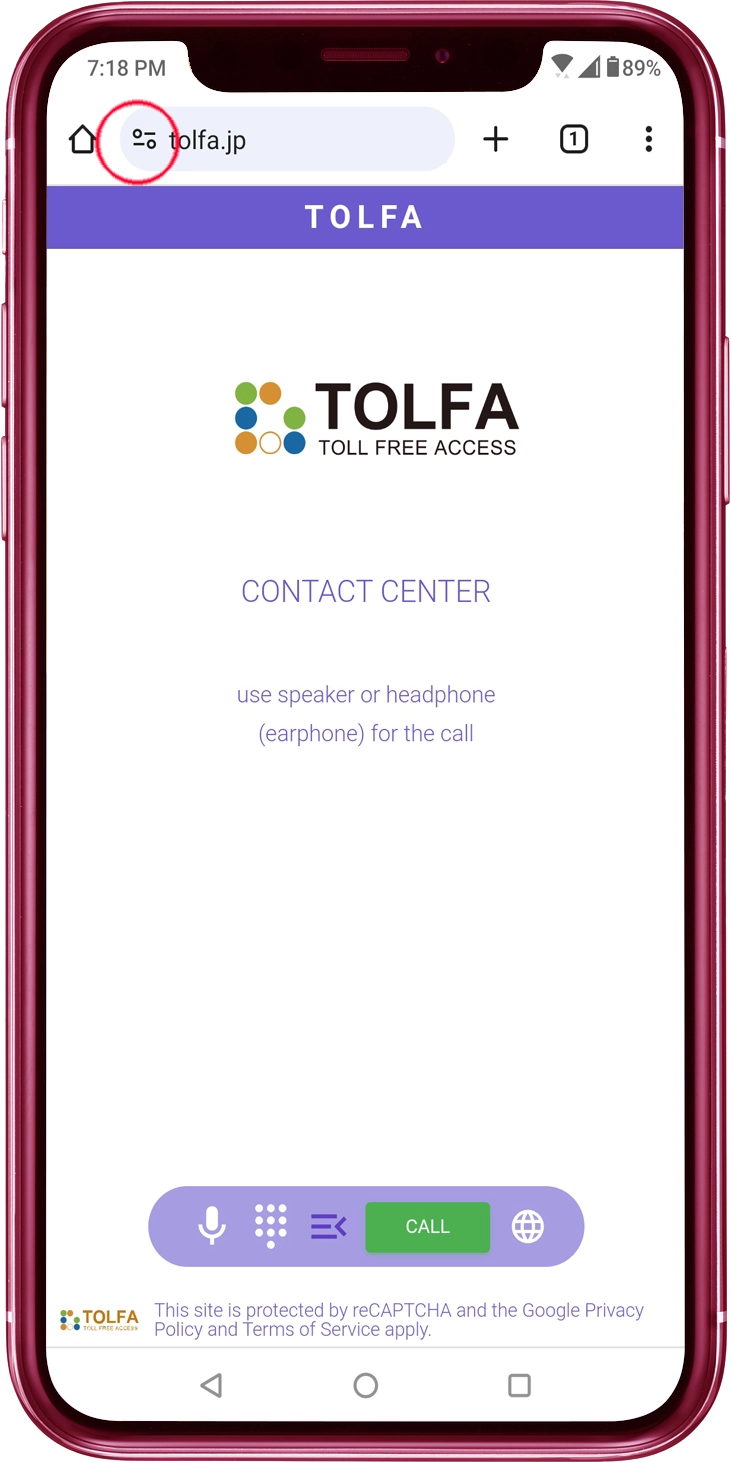
Tap the Icon
Tap the icon on the left side of the URL bar.
2
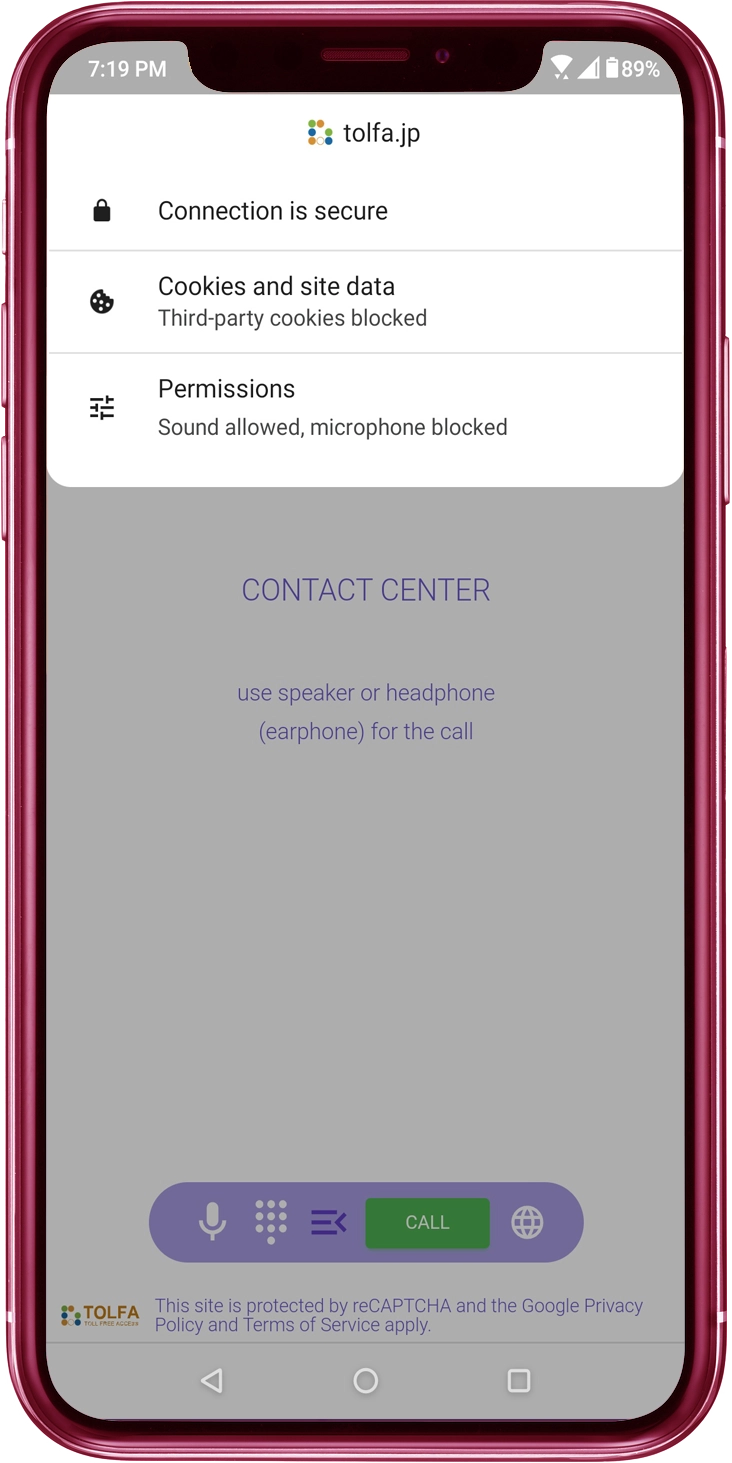
Tap the "Permissions"
Tap the "Permissions" in the menu.
3
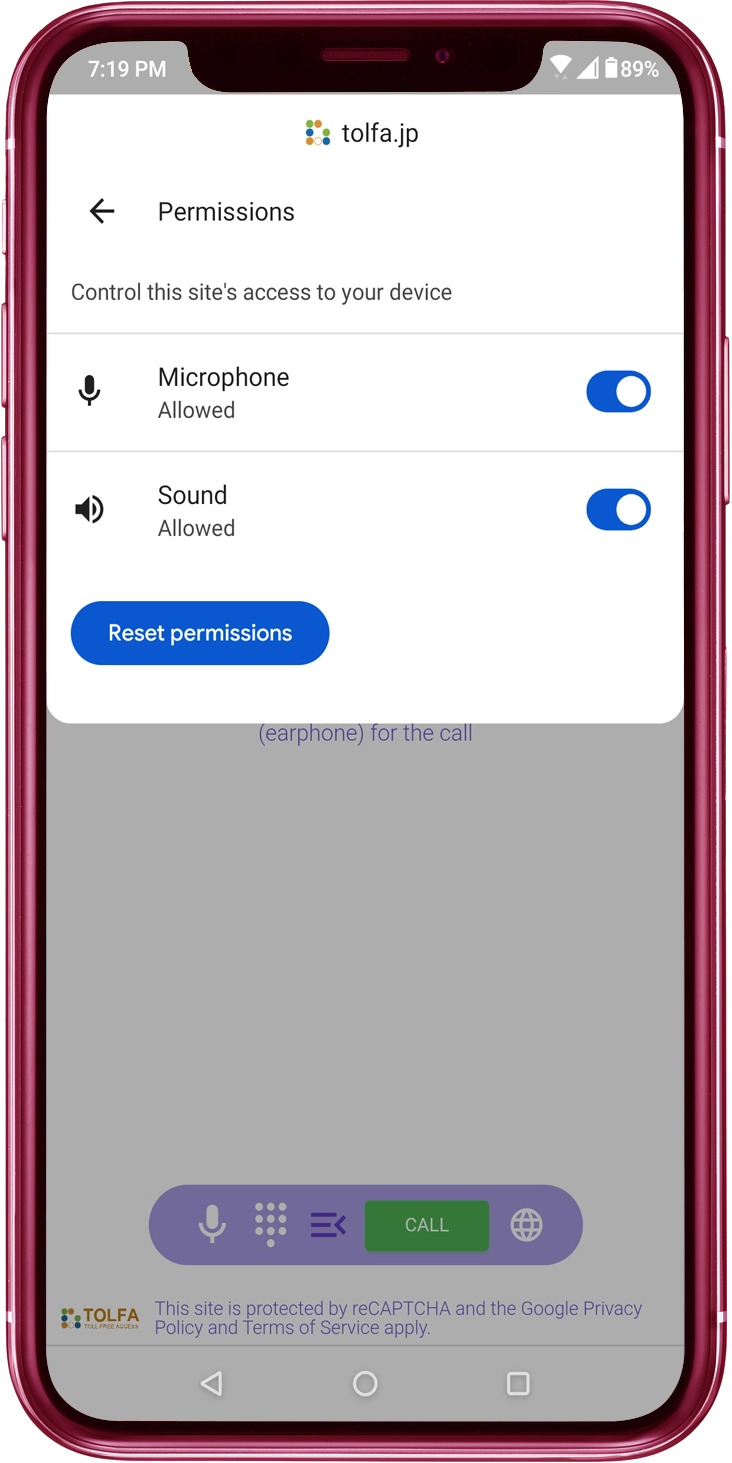
Allow the "Microphone" Access
Toggle the 'Microphone' switch to ON.
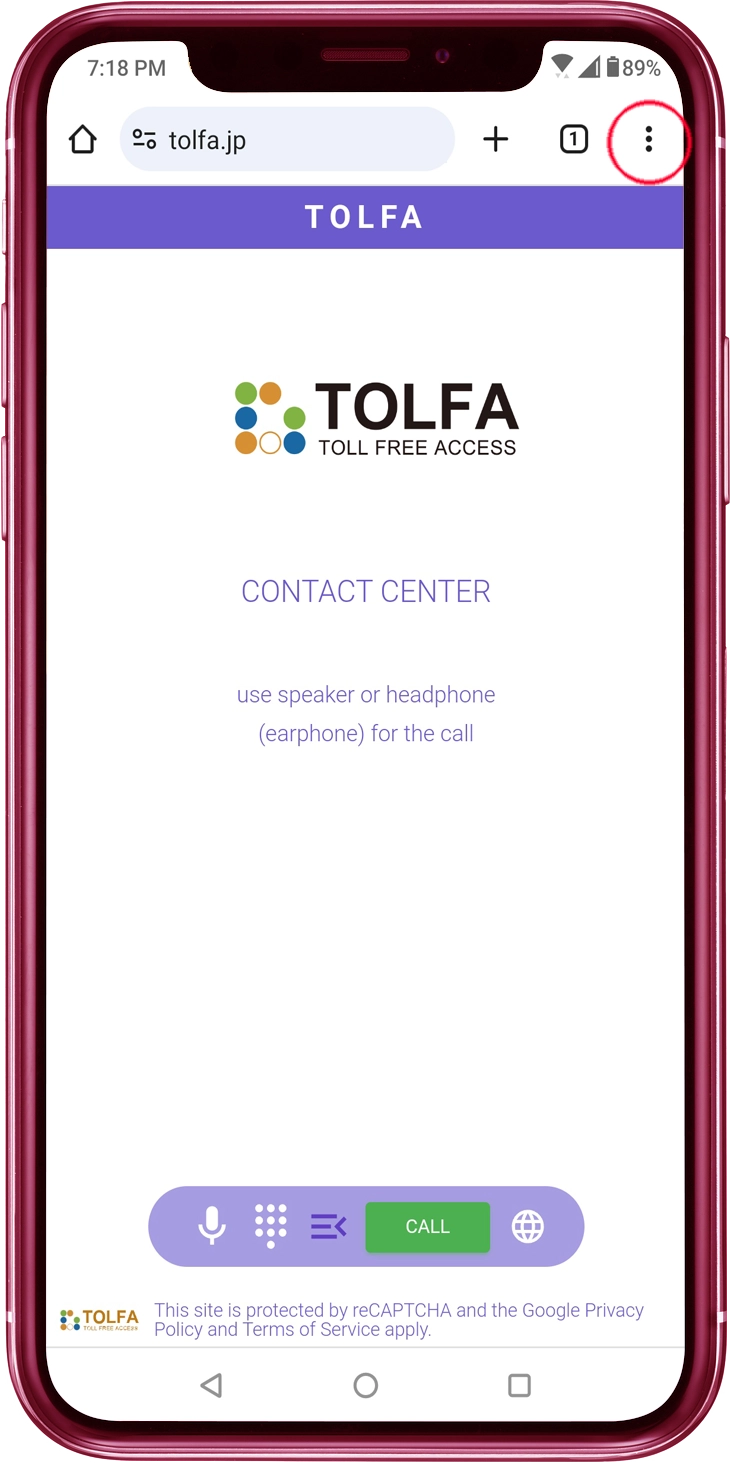
2
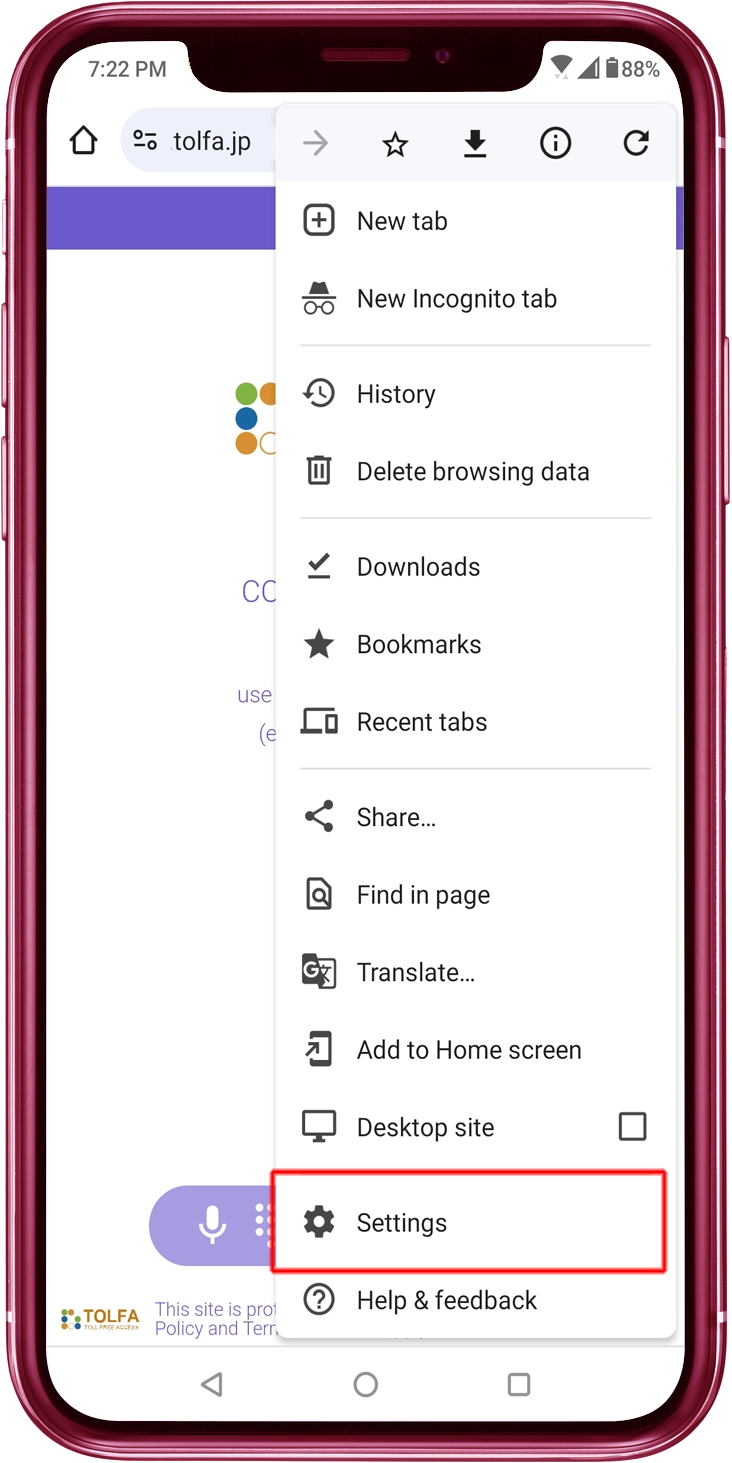
Tap the "Settings"
Tap the "Settings" in the menu.
3
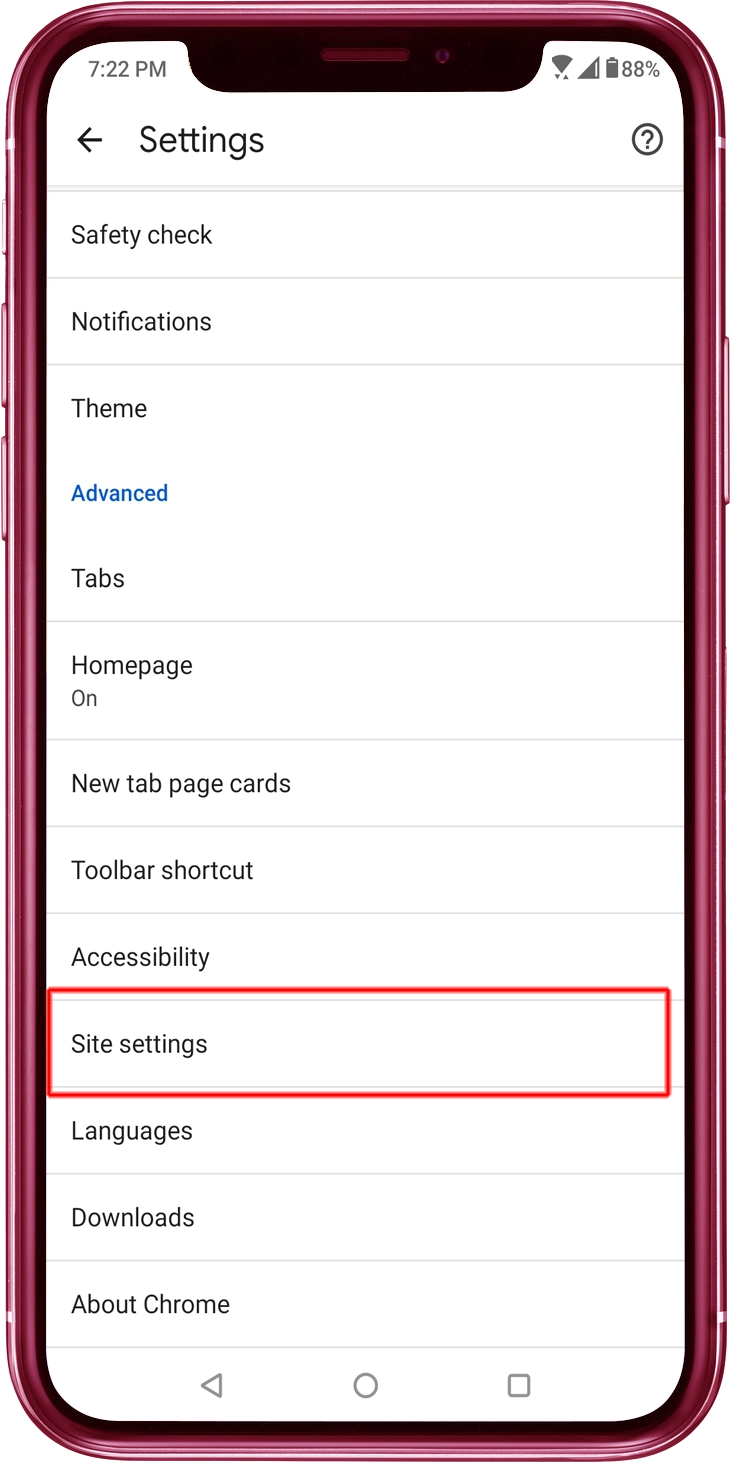
Tap the "Site settings"
Tap the "Site settings" in the menu.
4
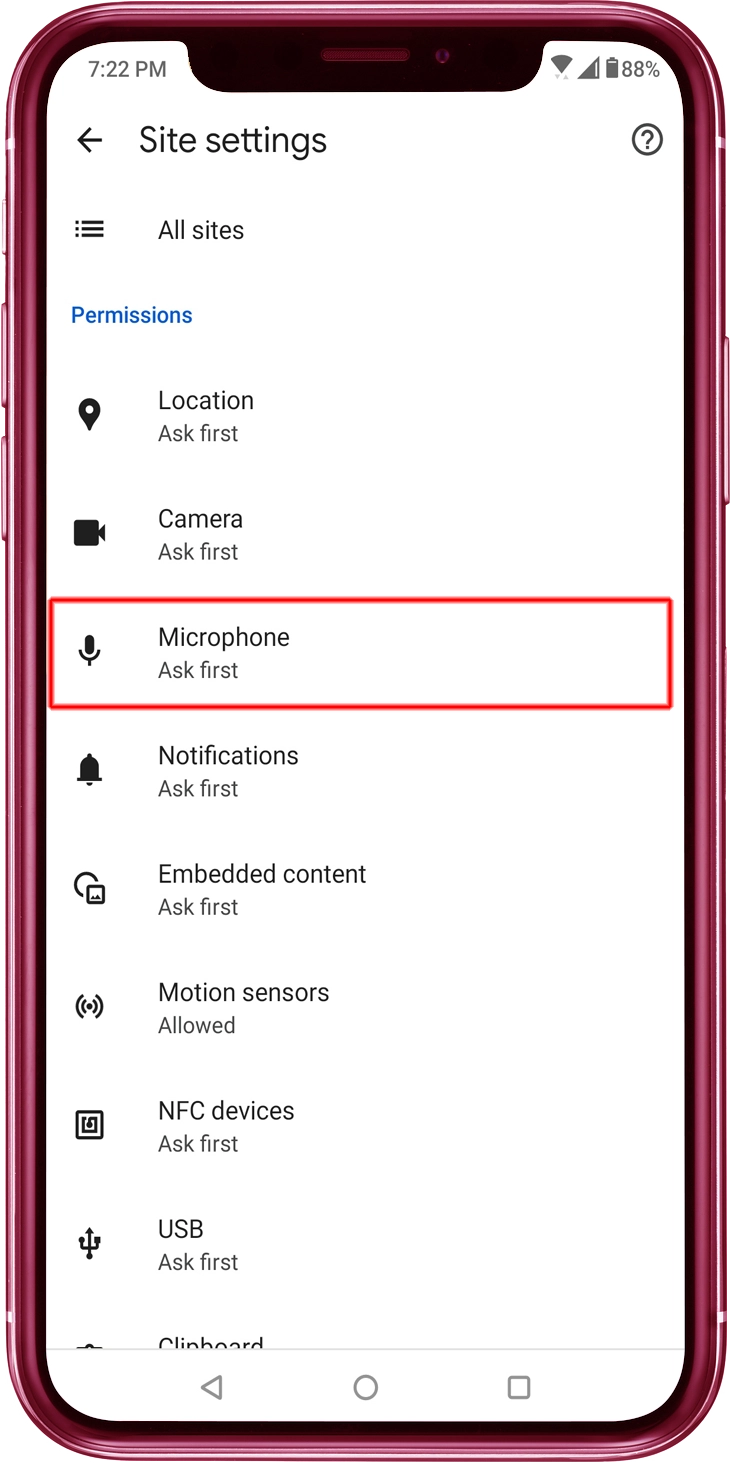
Tap the "Microphone"
Tap the "Microphone" in the menu.
5
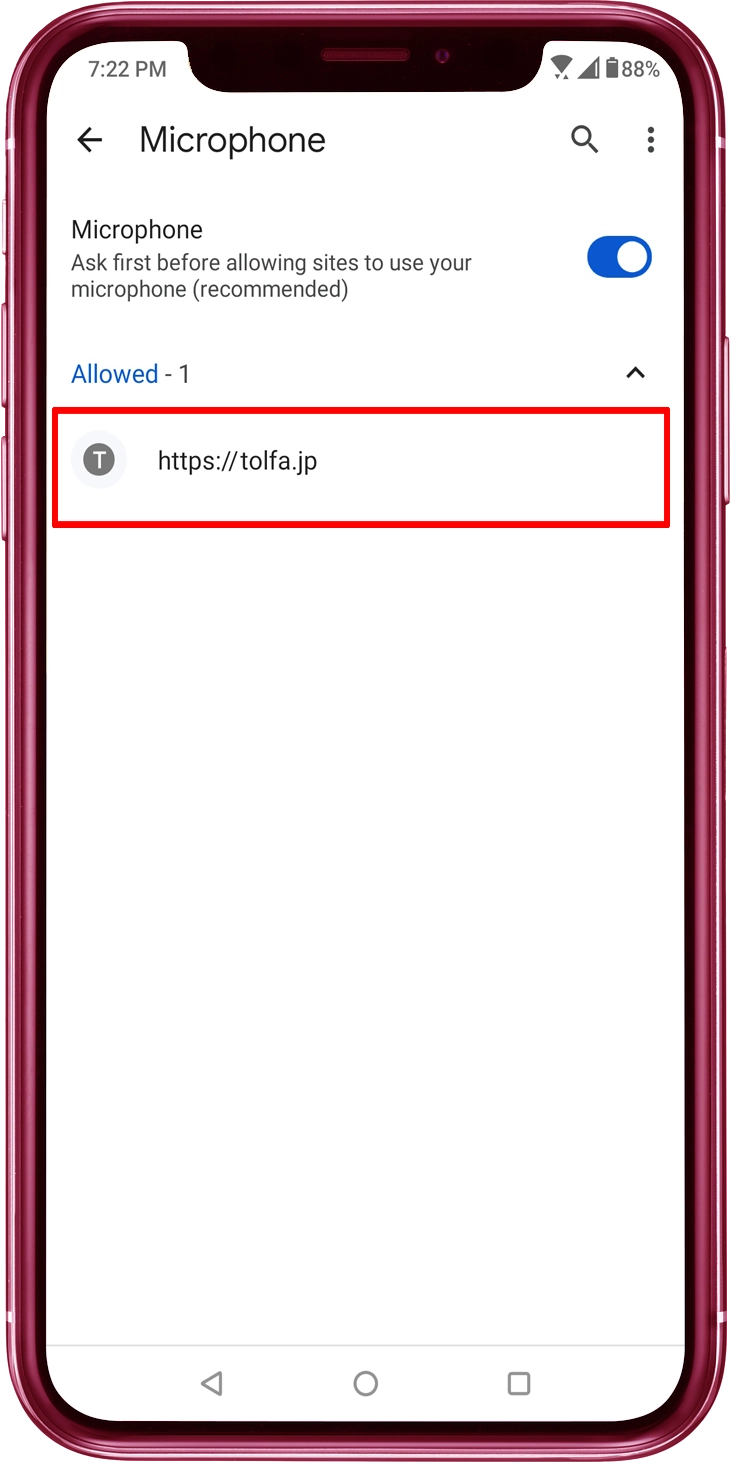
"Microphone / Ask first ..." Switch to ON
Toggle the "Microphone" switch to ON. Confirm whether the website "tolfa.jp" is included in a list labeled as "Allowed"
6
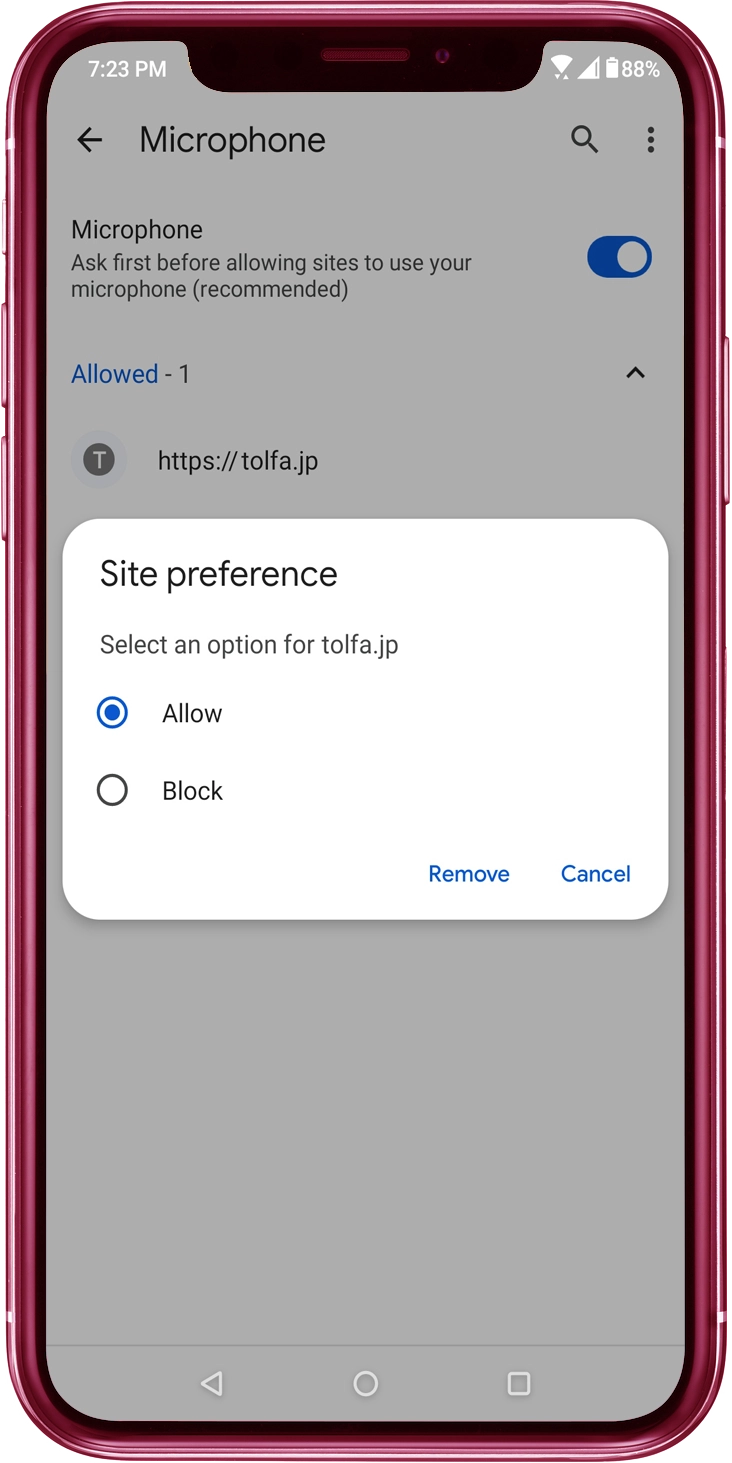
Allow the "Microphone" Access
If microphone access is currently not permitted, you should locate the website "tolfa.jp" in a list and then enable microphone access for it.
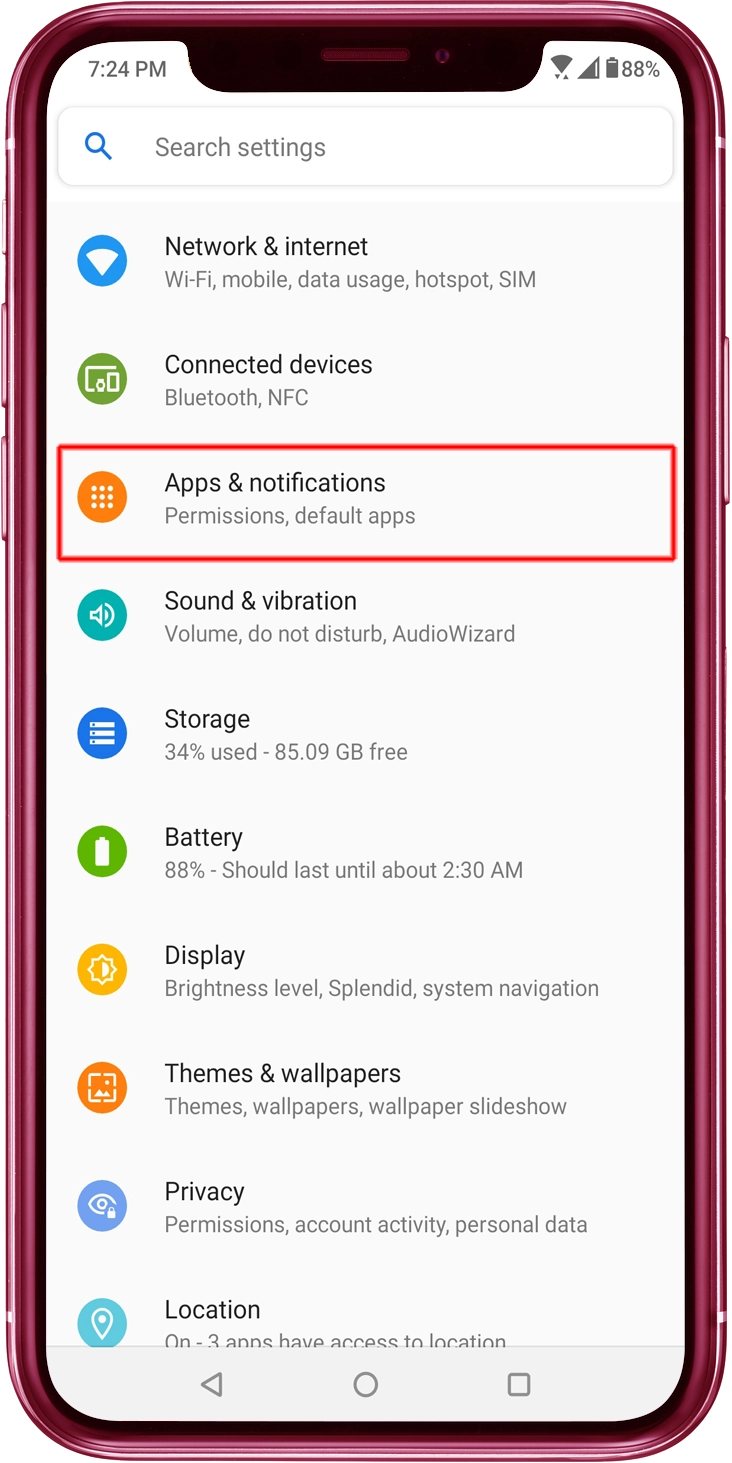
2
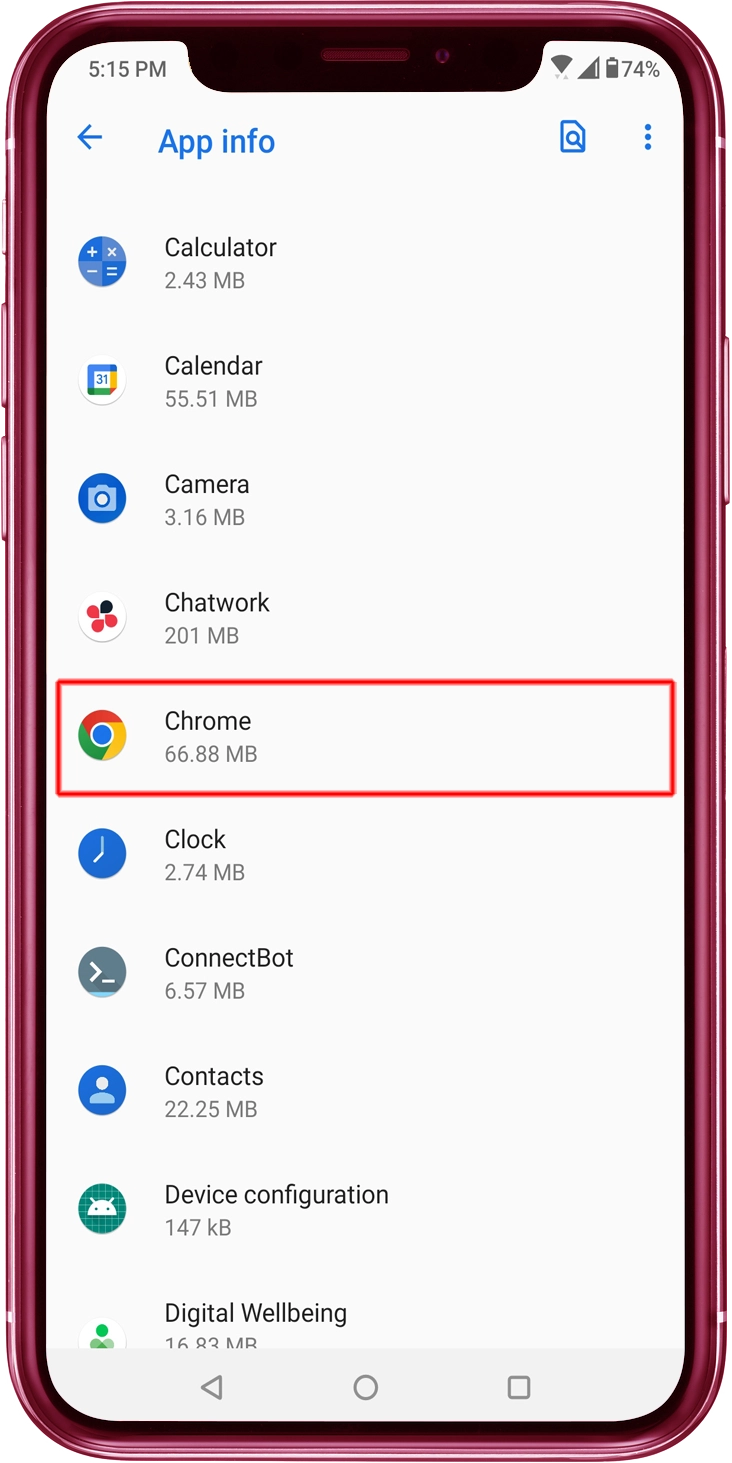
Tap the "Chrome" Icon
Tap the Chrome icon from "Recently opened apps," "App info," or "All apps."
3
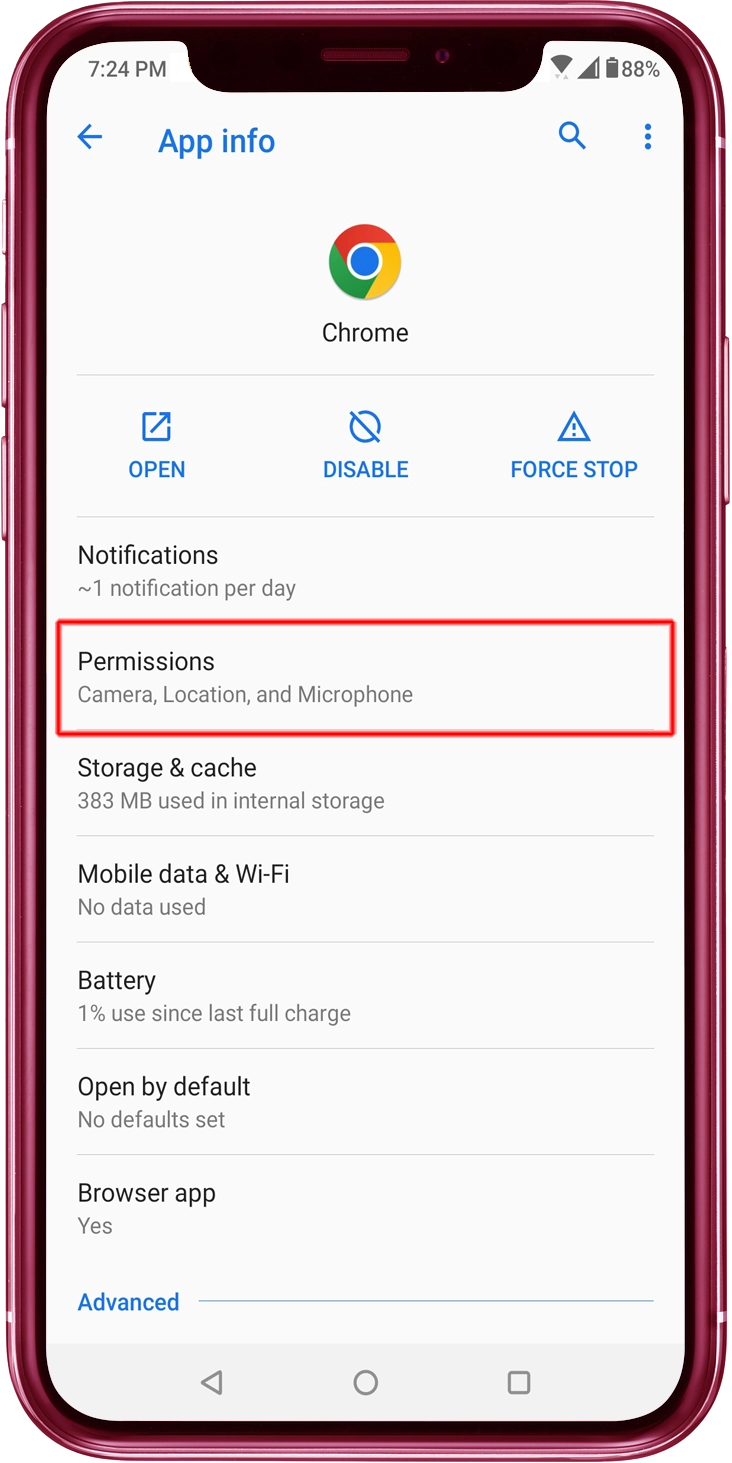
Tap the "Permissions" in the "App info"
Tap the "Permissions" in the menu.
4
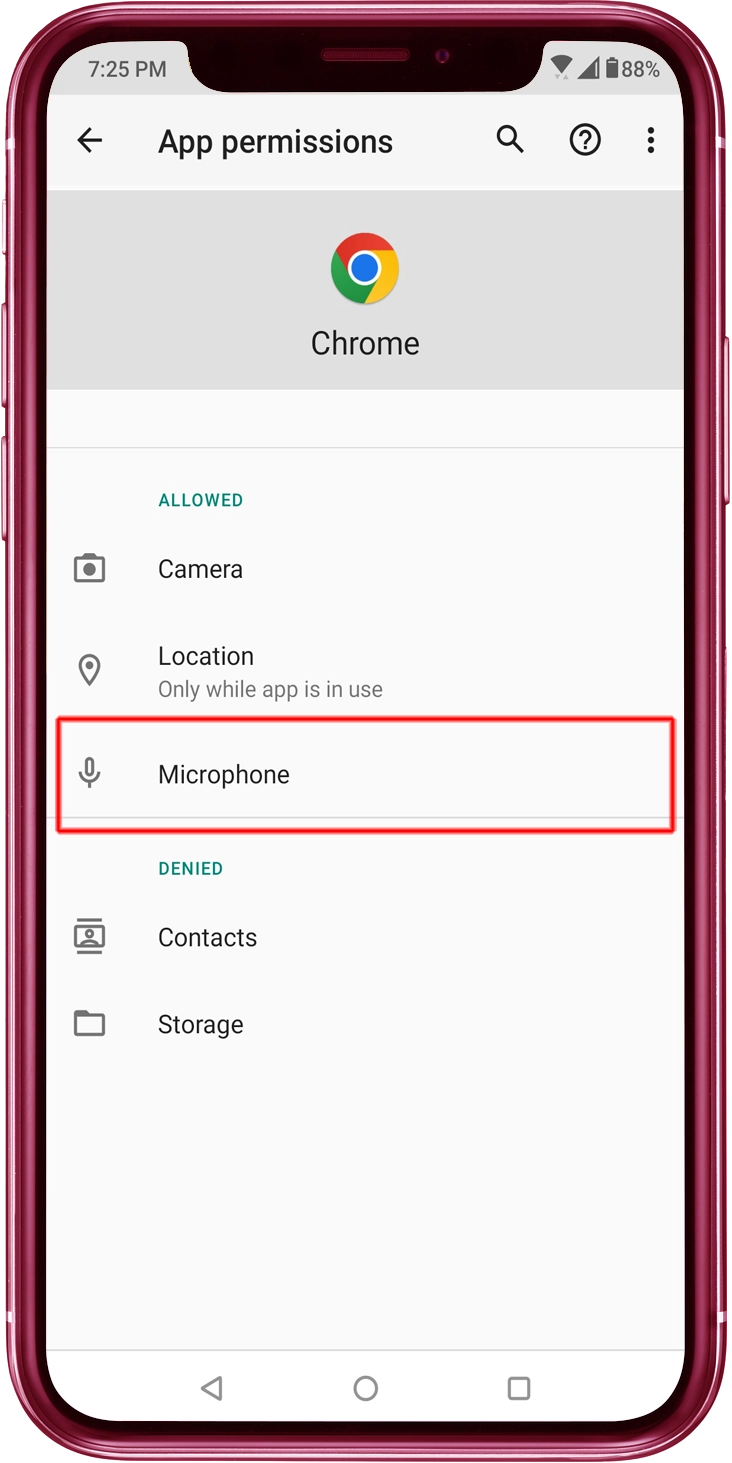
Tap the "Microphone"
Tap the "Microphone" in the "App permissions".
5
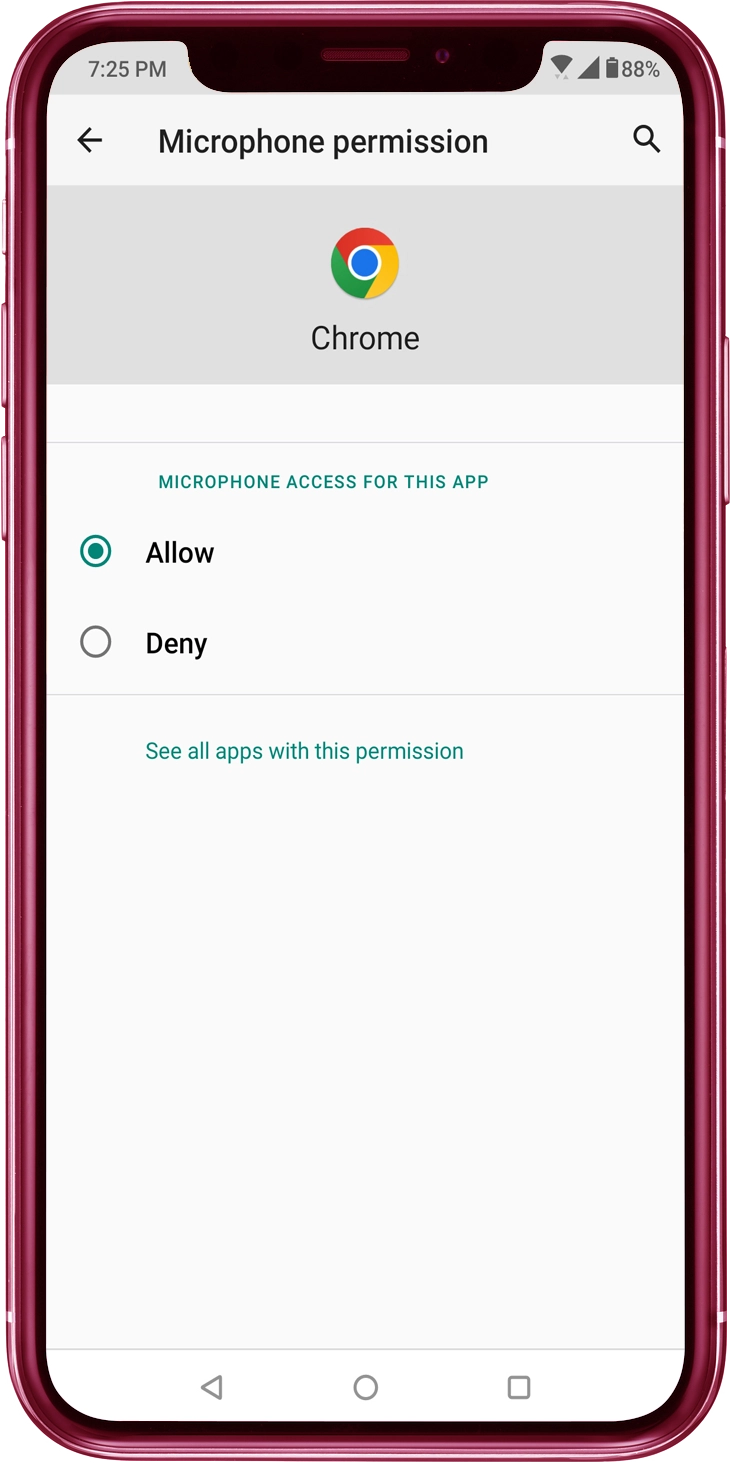
"Allow" Switch to ON
"Allow" Switch to ON in the "Microphne permissions"